Kiwa
Prompt results became reusable production chains creators could branch from, save, template, and run again across image, video, audio, and text.
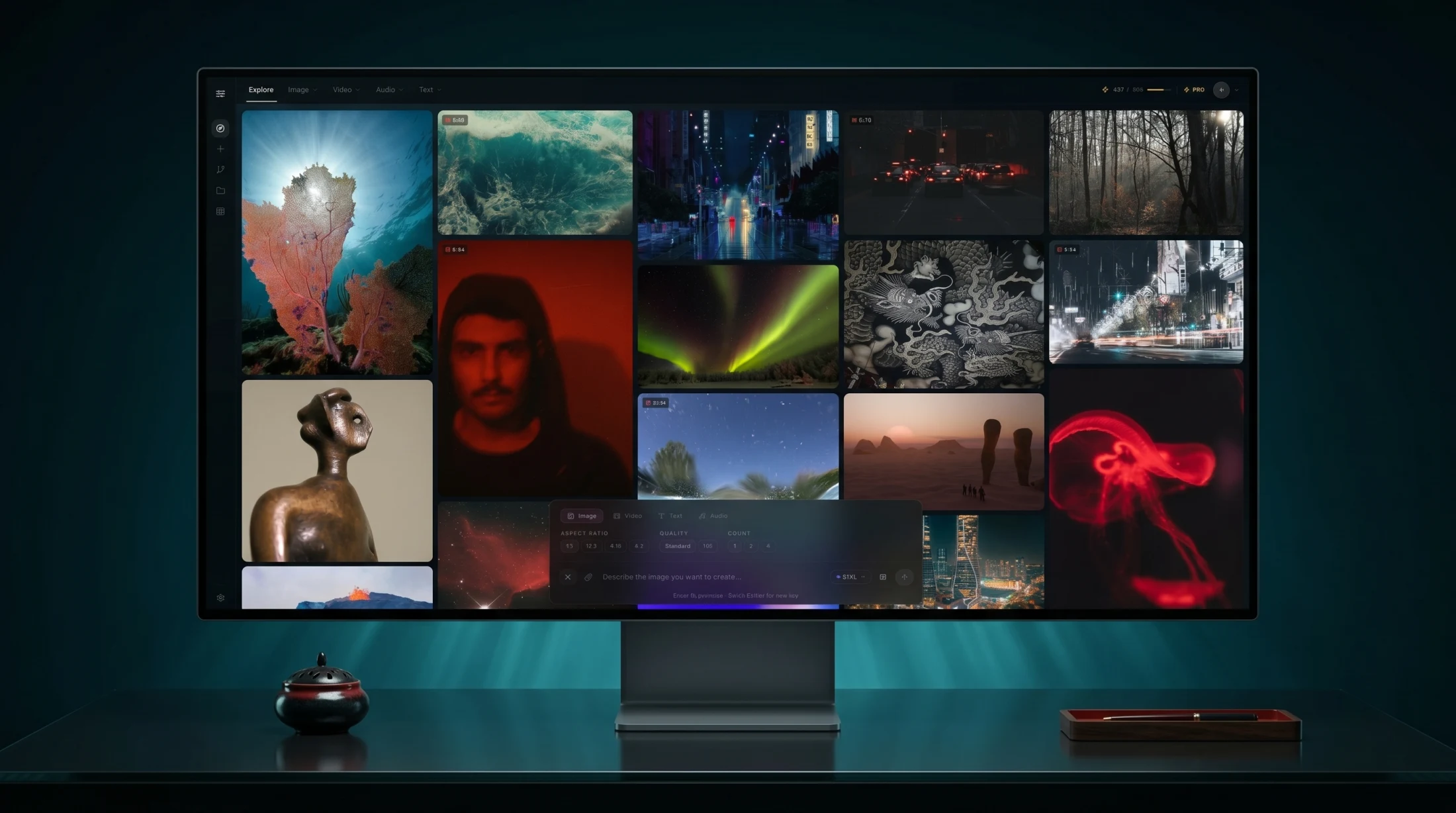
Kiwa is a generative production studio. It starts from the familiar surface, a prompt that can make an image, a video, a voice, or a piece of text, then pushes past the part where most tools stop. The question is not only “what can the model make?” It is “how does a creative person turn one output into a repeatable production path?”
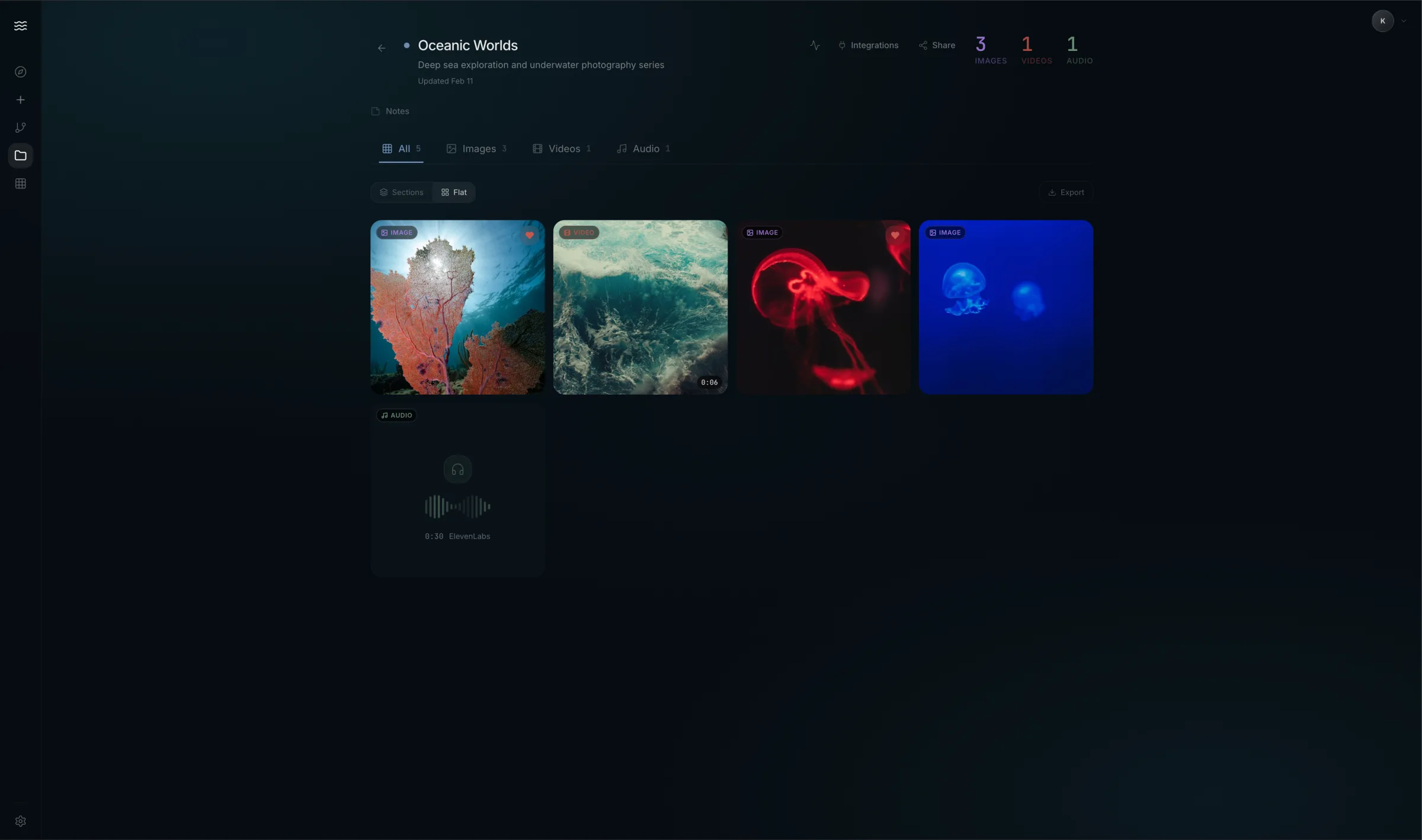
The answer is a quieter kind of power. Kiwa keeps the generated work visually dominant and lets the machinery recede: model choice, history, templates, generation queues, aspect ratios, quality levels, media libraries, and node-based workflows that can be saved and reused.
Why it exists
Most generative tools make the first act feel magical and the second act feel messy. You ask for something, get a beautiful result, then suddenly you are managing prompts, references, variants, upscales, videos, voice, edits, and file history by hand.
Kiwa treats that mess as the product. The interface is designed around the production chain after the first spark: what was made, which model made it, what can branch from it, what should be saved, what can become a template, and what can run again.
What it does
Kiwa organizes creation across image, video, audio, and text. The Explore surface is a living gallery of outputs. Focused creation screens give each medium its own model controls, quality settings, aspect ratios, duration, motion, references, negative prompts, and generation state. The model picker is explicit rather than hidden: SDXL, Flux Pro, Midjourney, Kling, ElevenLabs, Claude, and other specialist engines appear as tools with different behaviors, costs, speeds, and strengths.
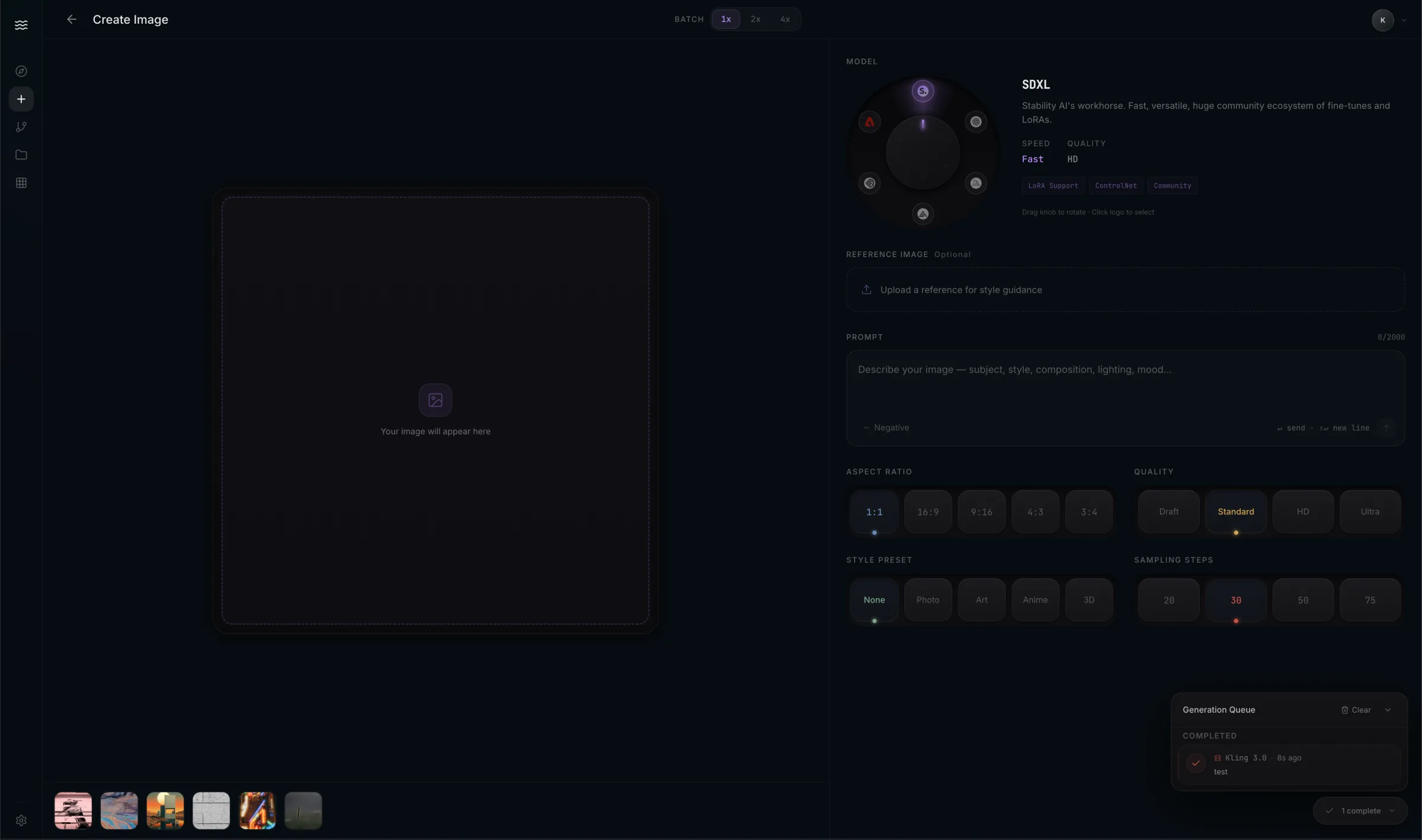
The point is not to make model switching louder. It is to make it legible. A creator should be able to understand when they are choosing speed over quality, art direction over realism, or a video model built for motion over one built for control.
The production canvas
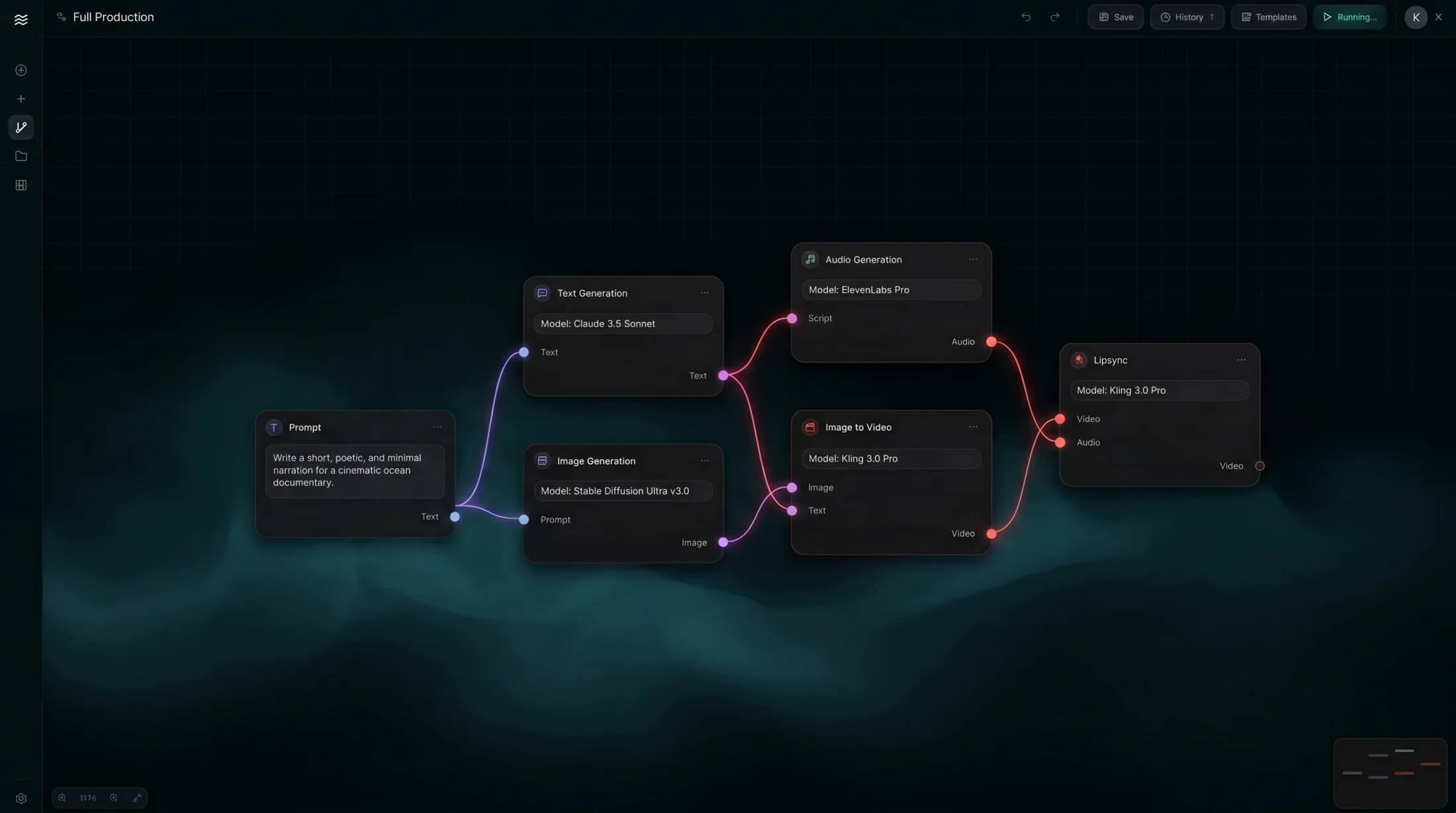
The center of Kiwa is the graph. A prompt can become a script. The script can branch into voice and image generation. The image can become video. The voice and video can meet in a lipsync node. Each node has a typed input and output, so the system feels like production logic rather than a pile of separate tools.
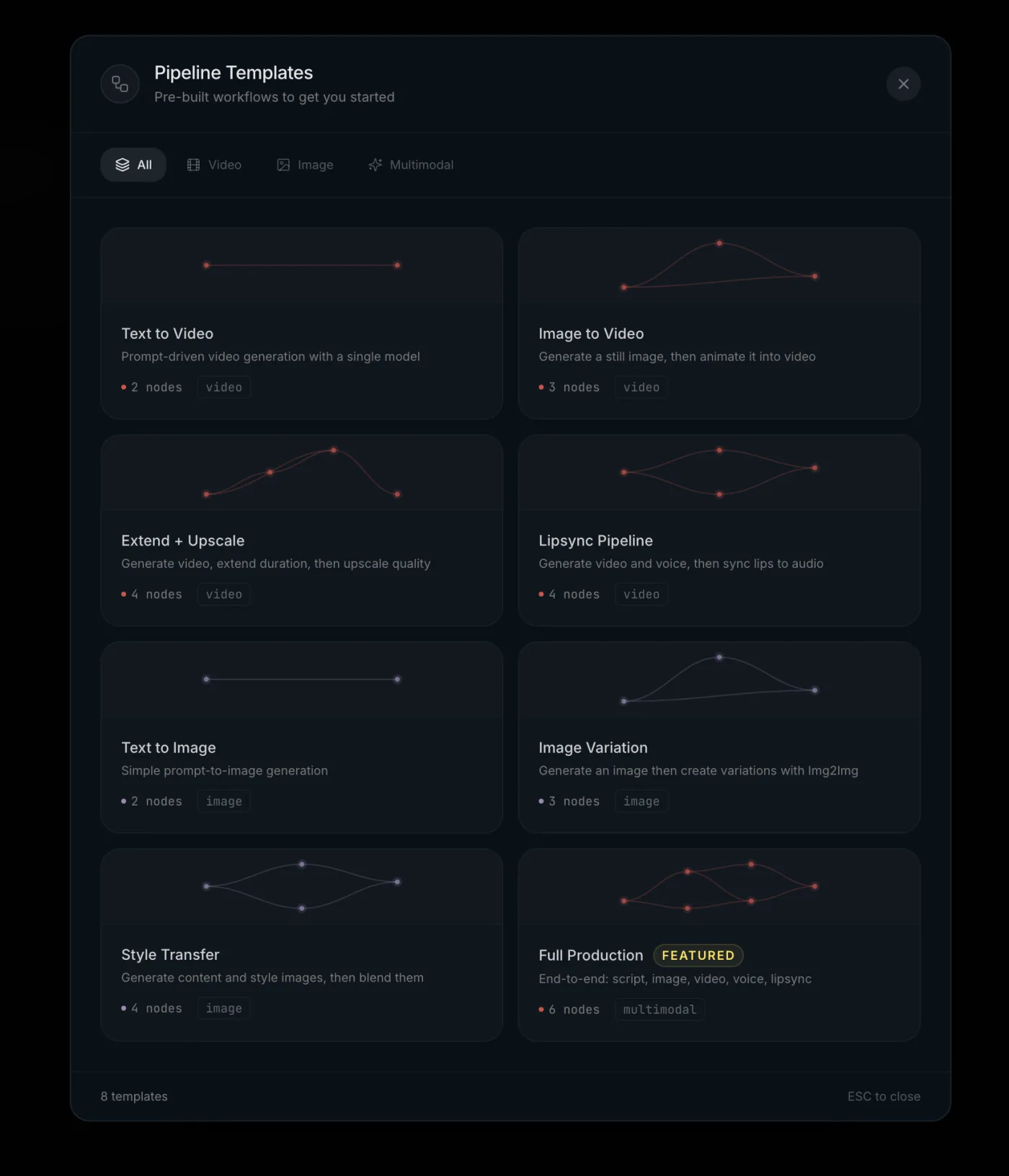
Templates make the canvas approachable. Text to Video, Image to Video, Extend + Upscale, Lipsync Pipeline, Text to Image, Image Variation, Style Transfer, and Full Production all start as pre-built workflows instead of blank space. The user can begin with intent, then inspect the chain once it exists.
The design decision
Kiwa is intentionally not loud. Generative media already produces visual intensity, so the interface uses restraint: deep sea surfaces, soft dividers, small status cues, compressed controls, and atmospheres named like materials rather than themes. Te Po for the night. Tangaroa for the sea. Ahi for fire. Hinatore for phosphorescence. Whenua for earth.
The name comes from Kiwa, a Māori guardian of the ocean, remembered in Te Moana-nui-a-Kiwa, the great Pacific. That reference matters because the product is also about navigation. A wide sea of generated images, videos, voices, models, histories, and branches needs a calm way to move through it.
That atmosphere matters because the product has to hold a lot of complexity without feeling like enterprise software. The result should feel closer to a darkroom, editing bay, or studio desk than a dashboard.
What I own
Product model. Interaction design. Visual system. The Explore surface, focused creation screens, model-selection vocabulary, saved media library, template system, and node-based production canvas. The work is the bridge between prompt-first generation and an actual creative workflow a person can return to.
Built with
Kiwa’s surface is organized around multimodal model routing: image models such as SDXL, Flux Pro, and Midjourney; video generation through Kling; voice through ElevenLabs; text through Claude; and a typed production graph that connects media outputs between nodes. The important object is not any single provider. It is the workflow layer that makes many providers feel like one composed studio.