NotchPad
Notes, clipboard history, snippets, voice notes, and Apple Notes moved into one private Mac inbox around the notch.
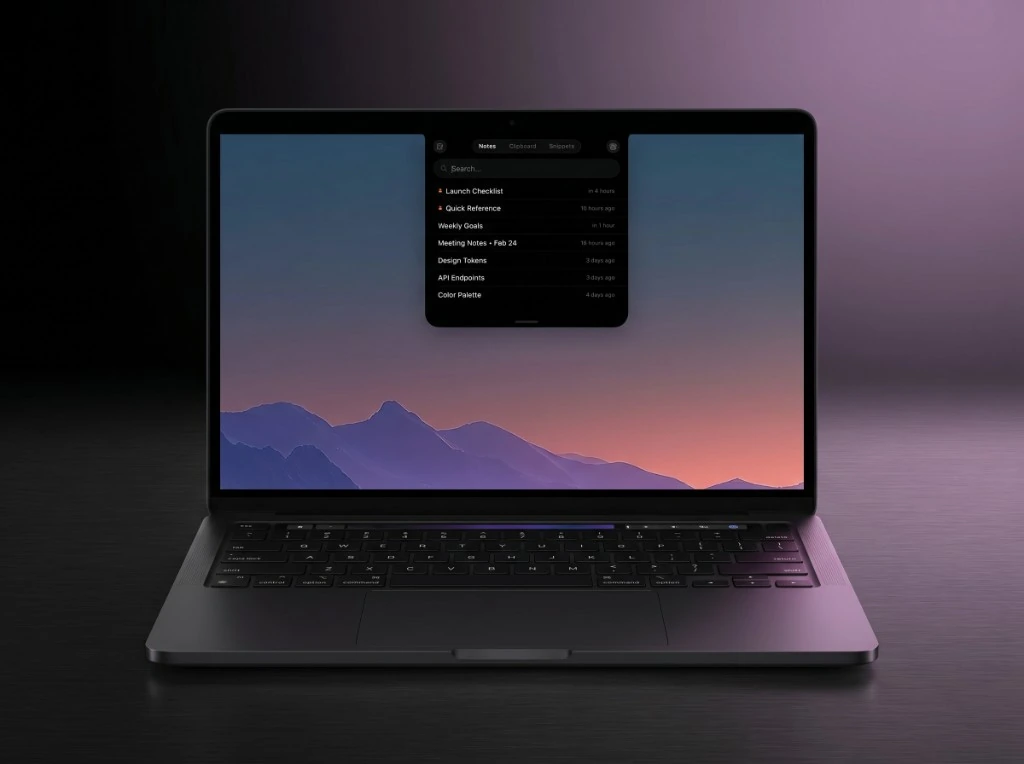
NotchPad is a Mac utility I designed and built solo. It treats the area around the notch as a persistent capture surface for the things you reach for constantly: quick notes, clipboard history, snippets, voice thoughts from NotchLive, and Apple Notes you already have.
Why it exists
Capture should be zero friction. Most note tools want you to open a window, find a folder, pick a context. NotchPad assumes you have a few seconds and one hand free, and works backwards from there. Hover the notch on a notch-equipped Mac, or hit ⌃⌃ on any Mac running Sequoia.
What it does
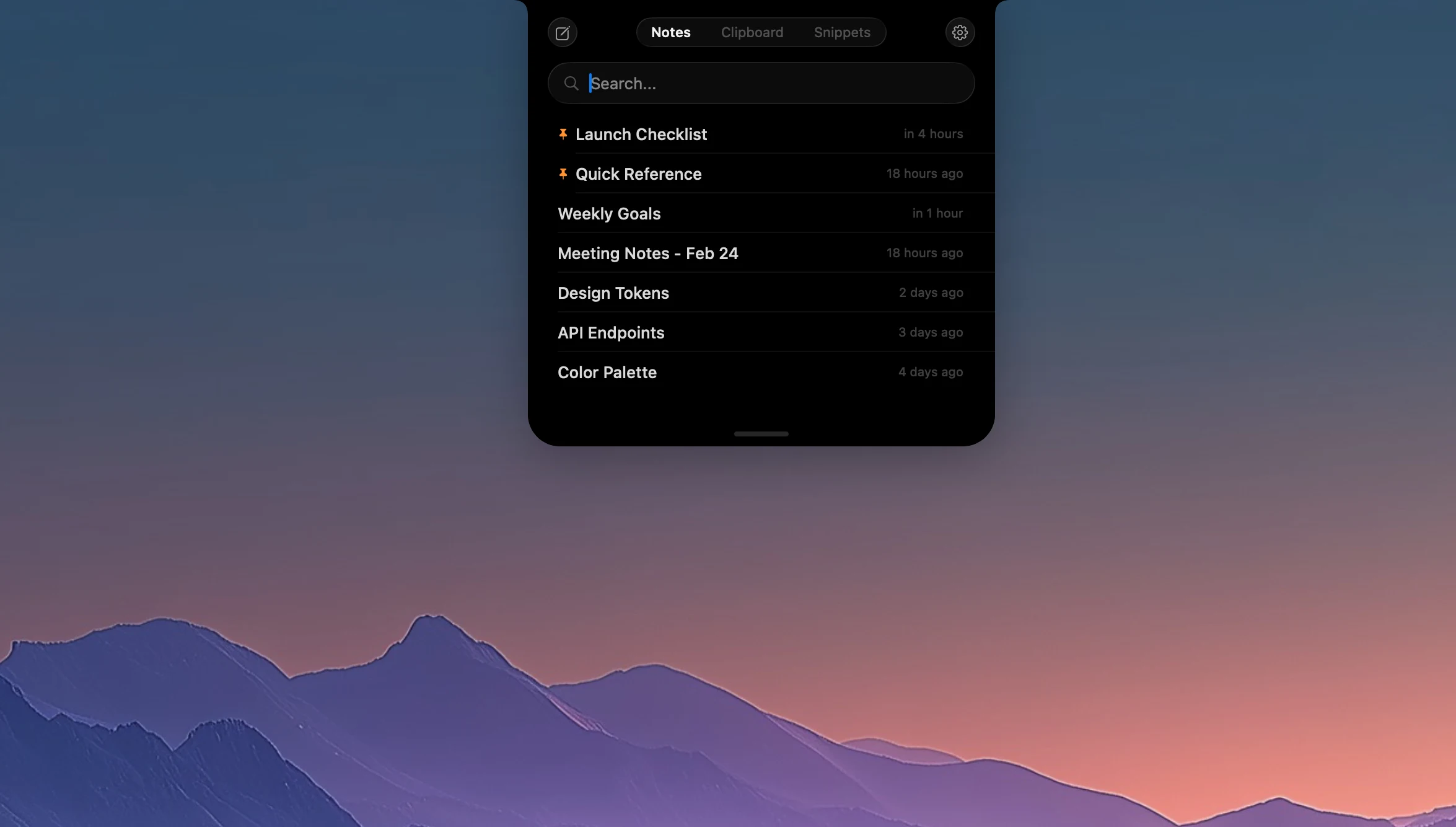
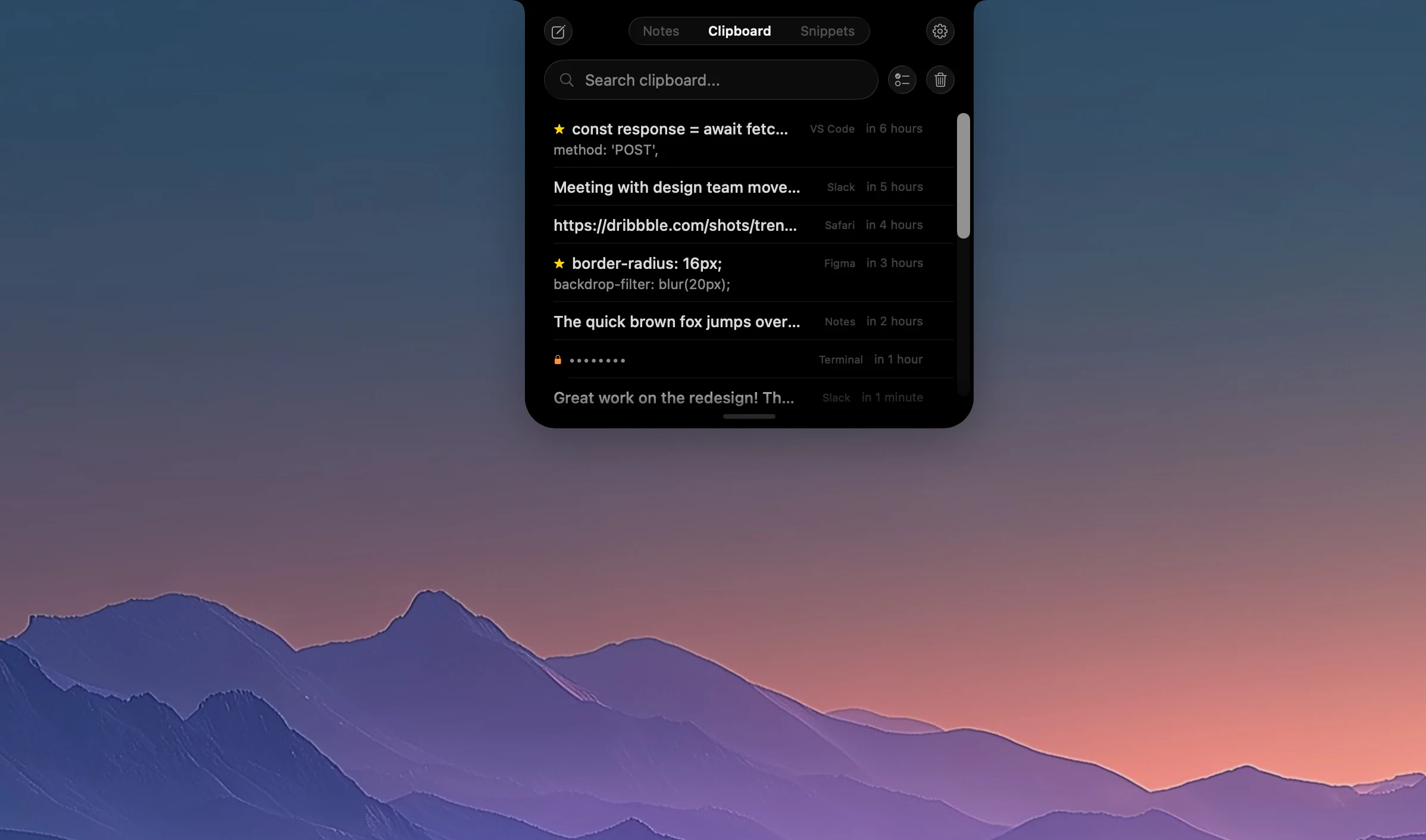
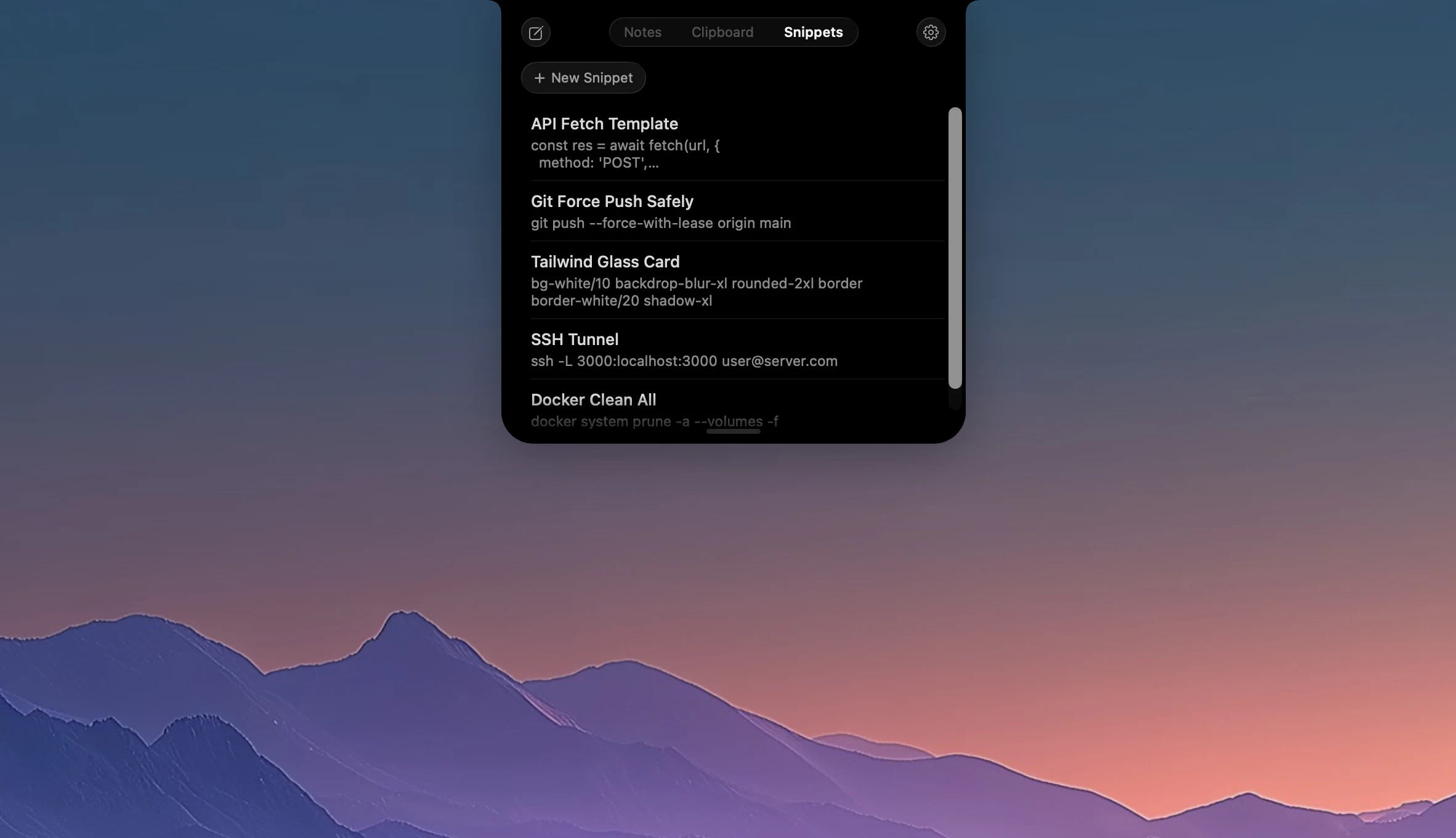
Write quick notes without leaving what you’re doing. Speak with NotchLive, dictate, AI-clean, send the note back to NotchPad. Capture copied text automatically, then pin or merge what matters. Reuse repeated text as snippets for code, email, prompts, signatures, commands. Pull, browse, search, and edit Apple Notes from the notch without switching context. Drop documents and code files onto NotchPad to import them as notes. Passwords from 1Password, Bitwarden, and Apple Passwords are detected, stored locally with AES-256-GCM, and only revealed with Touch ID.
What I own
Product direction. SwiftUI and AppKit implementation. Local-first storage and the encryption boundaries. Apple Notes integration. NotchLive hand-off. Mac App Store shipping. Reached Product Hunt top 10 without paid promotion.
Built with
Swift native macOS app built as a local-first capture layer around the notch. The product combines quick notes, clipboard history, reusable snippets, Apple Notes import/sync, file import, sensitive-text protection, and NotchLive voice-note handoff into one searchable private inbox.
Stack: Swift, SwiftUI, AppKit, NSPanel, Liquid Glass, NSEvent global monitors, clipboard monitoring, Apple Notes integration, local-first storage, searchable note and snippet data, AES-256-GCM, Touch ID.