Rasterloom
References, original assets, working compositions, and presentation scenes stay connected through one native Mac workspace.
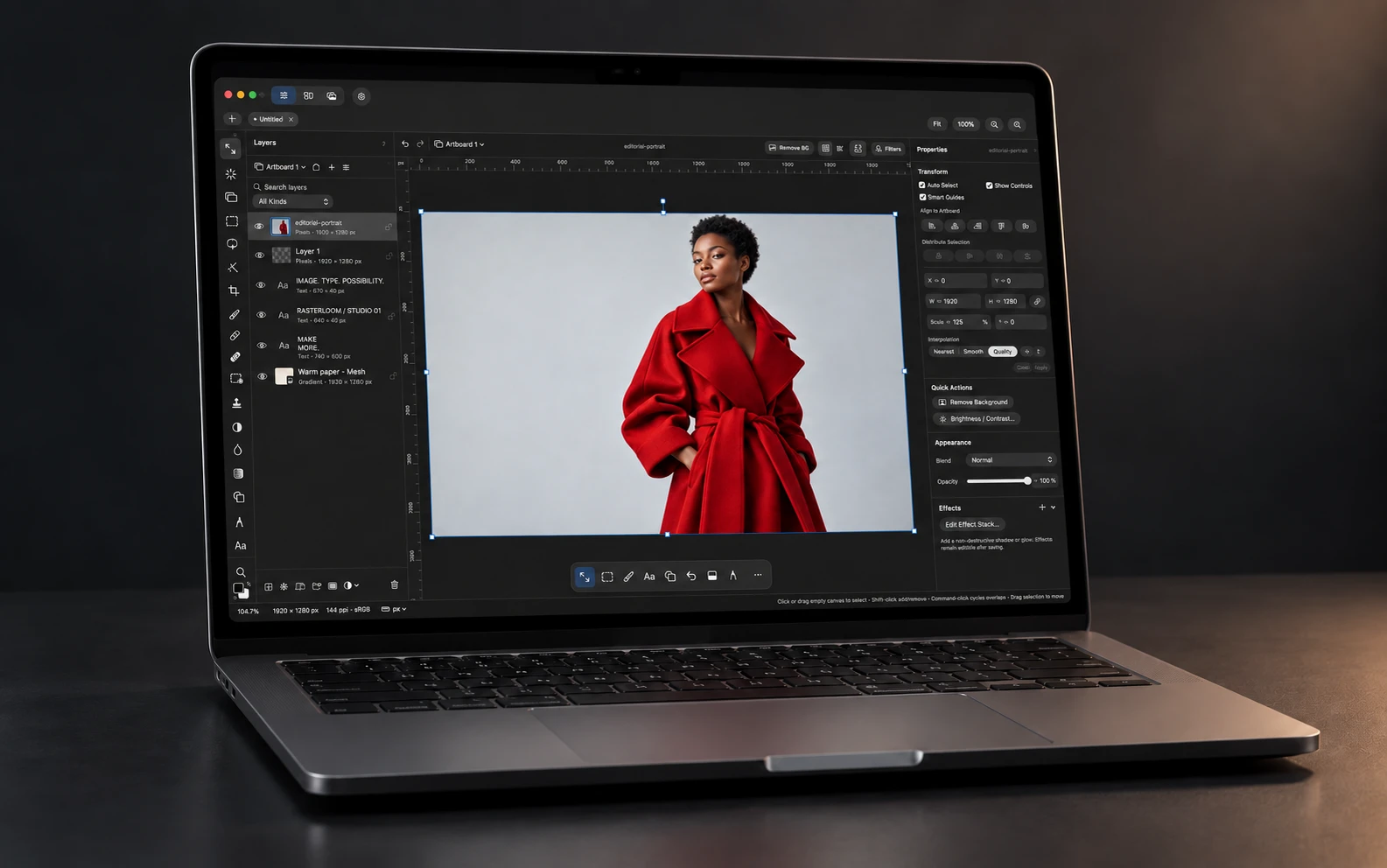
Rasterloom is an independent design tool for Mac. Collect references, find an original photograph, develop it on the canvas, compose with type and vectors, then stage the artwork in a device mockup. The editor, moodboards, and asset library are areas of one native workspace.
The first public alpha shipped in October 2026 as a Tiny Things product, for Apple silicon Macs running macOS 15 or later.
The product decision
A reference, an original asset, and a finished composition have different jobs. A moodboard needs a useful preview and a place for notes. A design needs the original artwork. A presentation needs a connection back to the design it shows.
The product model preserves those relationships. Boards have their own notes and arrangements. The library owns reusable assets. Editor documents hold the composition. Each surface can change without losing the material it came from.
Collect once. Use the original.
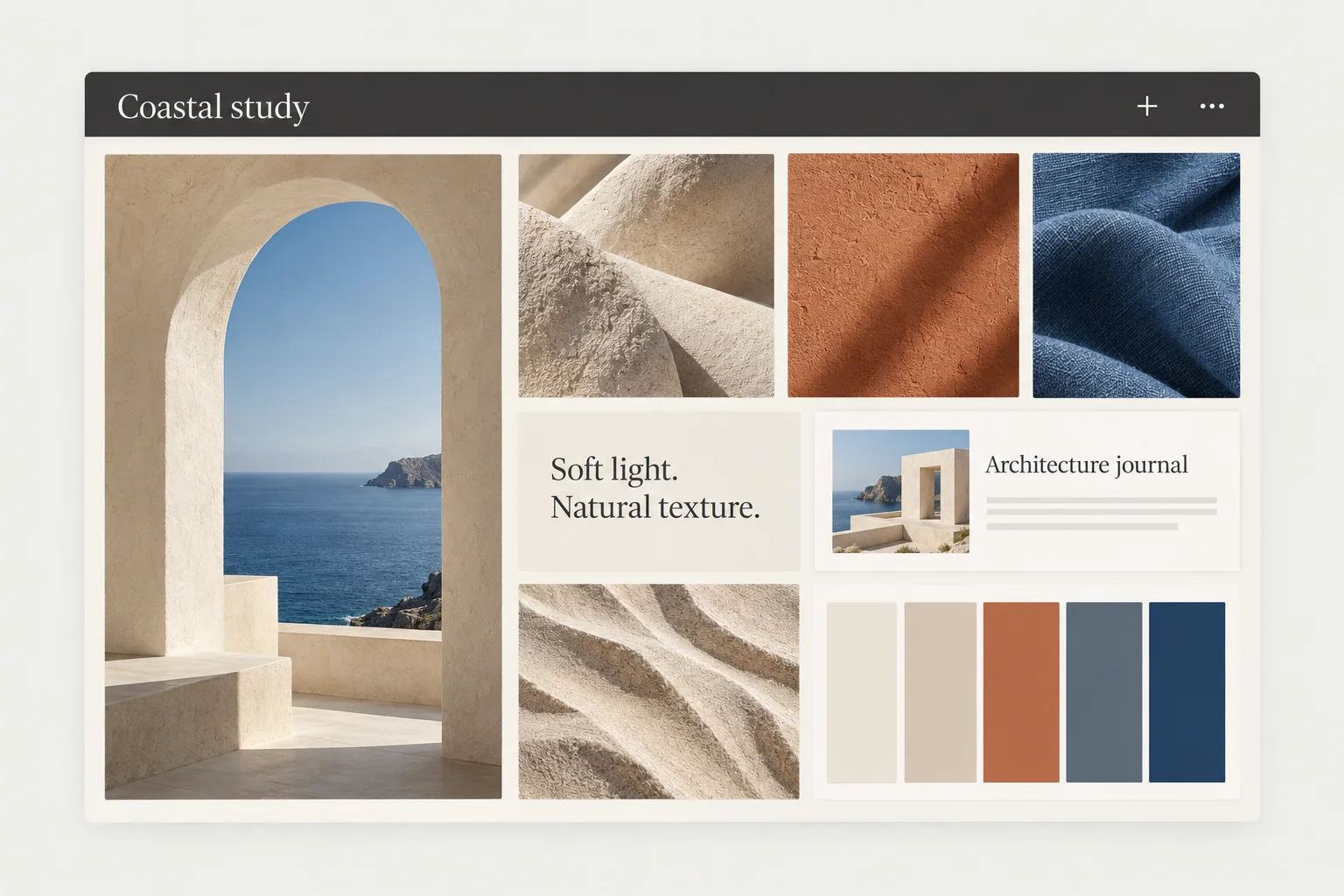
Moodboards hold images, saved links, notes, and color swatches. The library can copy artwork into local storage or reference the original file in place. Browsing uses previews; placing a photo on the canvas uses its original data and keeps its photo development controls.
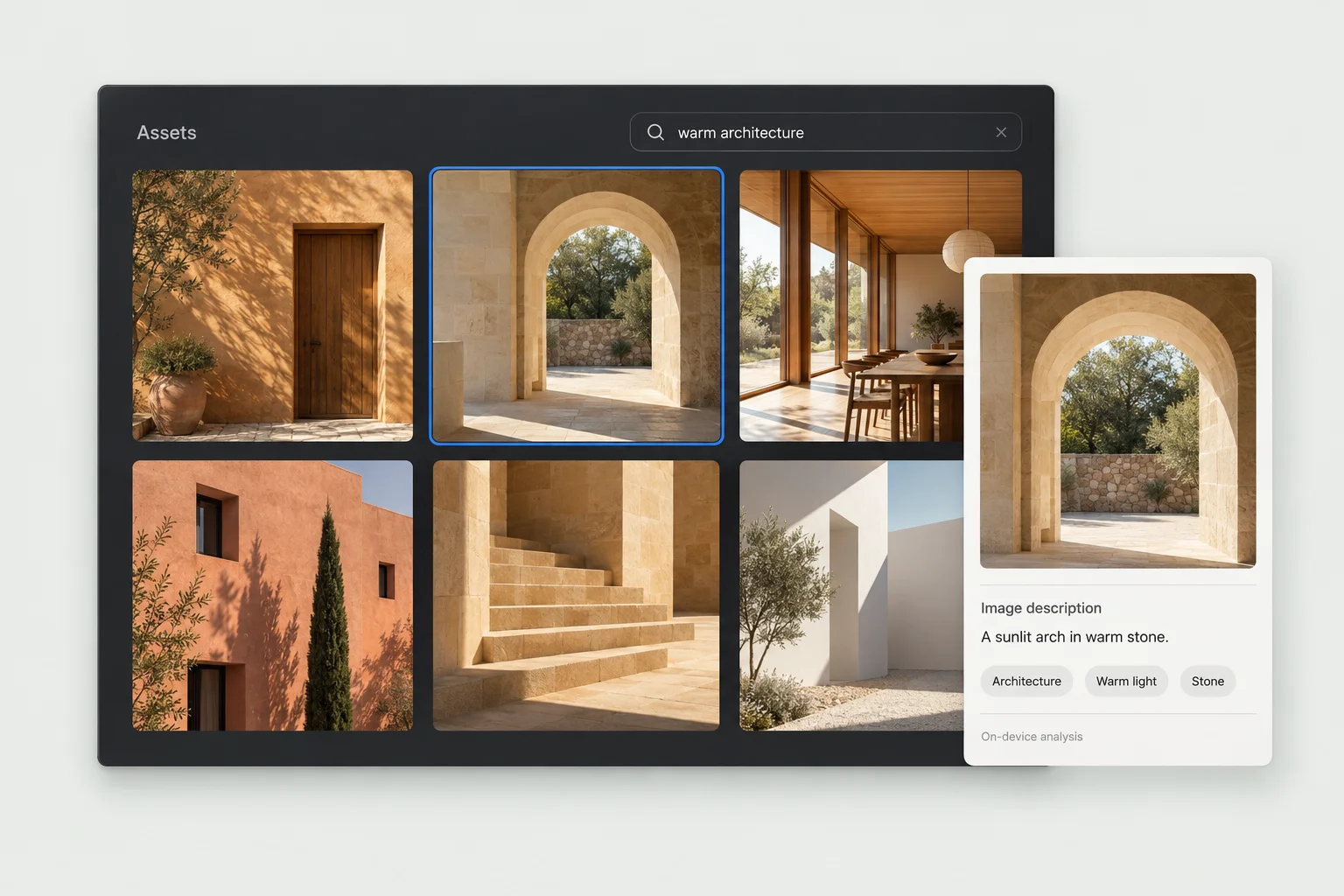
Search combines filenames, your own tags and notes, descriptions, and text detected inside images. Extracted colors and visual similarity offer other ways back to an asset. Optional descriptions and tag suggestions run on the Mac after an explicit model download. Reanalysis preserves the user’s corrections.
Keep the document editable
Images, masks, adjustments, live text, and vector paths coexist in the same composition. Type retains character styles and spacing. Paths retain their geometry, fills, and strokes. Artboards carry different layouts and output sizes, with rulers, guides, snapping, and exact placement controls.
Photo development preserves the original file and an editable recipe. Exposure, white balance, curves, and color mixing update the canvas live, with before/after comparison. The photo remains part of a layered design, alongside text and artwork. Linked assets can refresh from their source.
Conversations belong to the artwork
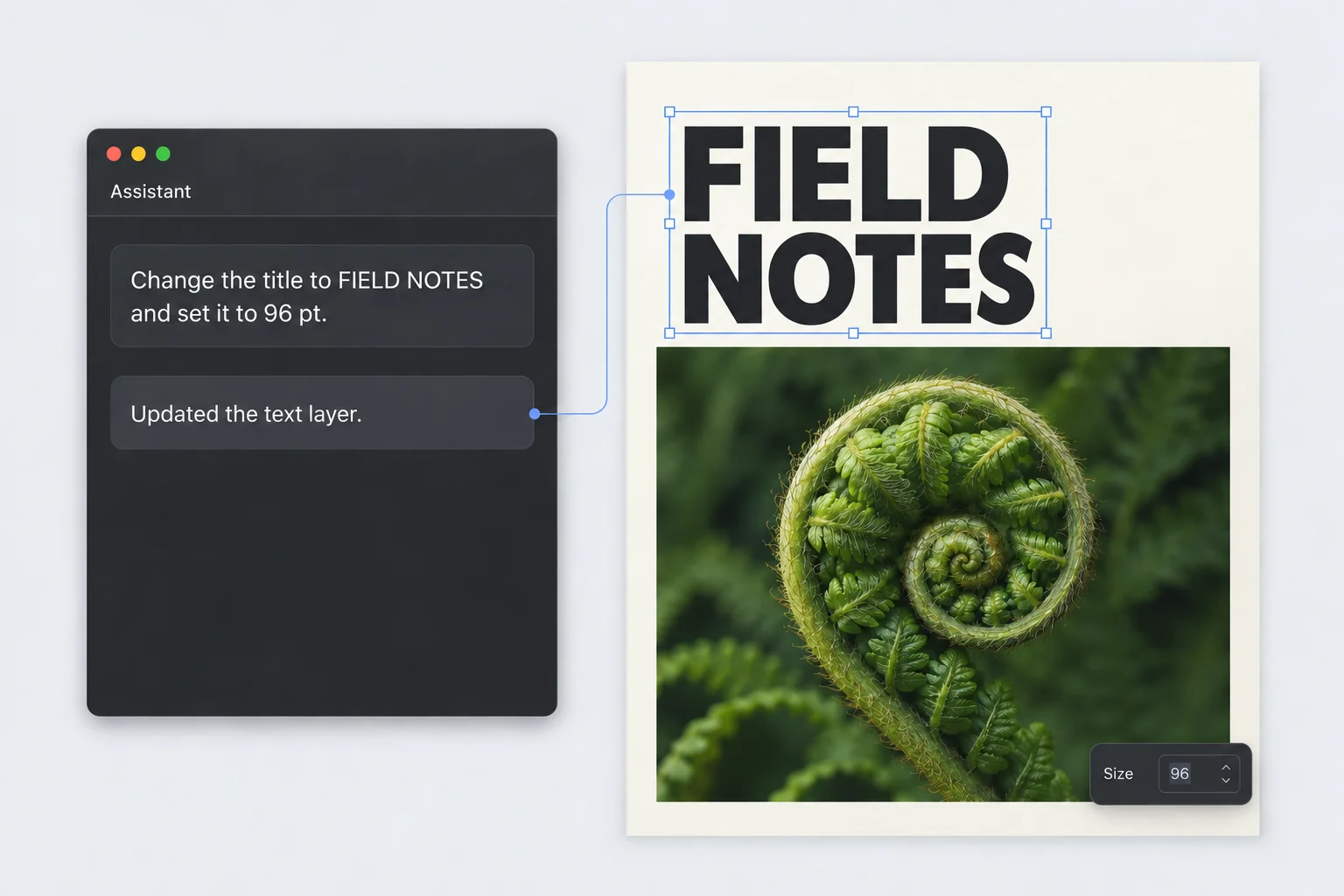
Press K to place a conversation on a layer, artboard, or canvas position. The pin keeps its target as the artwork moves. Each note has its own messages, draft, model, and session saved with the project. Resolve it to clear the canvas; reopen it from Assistant History to continue.
ChatGPT and Claude use the user’s installed, signed-in CLI. They can inspect the targeted object, preview the canvas, search the asset library, and edit through Rasterloom’s native tools. Those same operations are available to external MCP clients.
This is a document interaction model as much as an AI feature. The conversation has a location and a subject. Its edits become ordinary document changes with undo, while the transcript remains available separately. In-app assistants operate through the editor tools. The connected provider’s data-handling policies apply; local library analysis has its own on-device path.
Present the design from its source
3D Mockup Studio stages artboards on phones, tablets, laptops, displays, and other presentation surfaces. Devices, backdrops, lighting, camera framing, and headline text remain editable. A saved scene reopens with its settings, and its screens can refresh from the source artboards.
A working artboard becomes a 3D presentation. Change the look and framing inside Rasterloom.
Changing a look preserves the camera and device positions. An assistant can adjust one device without rearranging the others, or compare looks with the same artwork and framing before committing a scene. Presentation stays connected to the working document.
Delivery has its own controls: encoded export previews, dimensions, quality, color profiles, metadata, and print preparation. Compatible text and vectors remain native in SVG and PDF; PSD export carries raster layers and supported layer structure. Autosave, recovery, and document versions support the work between sessions.
What I own
Product direction and the connected creative workflow. The native workspace and interaction model. Moodboards, asset intelligence, retained text and vector editing, photo development, canvas conversations, shared MCP tools, linked artwork, and Mockup Studio. Recovery, document versions, and delivery controls. Product identity, marketing site, and signed Mac distribution. Developed and released as a Tiny Things product.
Built with
Native macOS app developed from an MIT-licensed image-editor foundation. Swift, SwiftUI, and AppKit carry the workspace; Core Image handles photo development, TextKit supports retained type, and Vision and NaturalLanguage support local asset analysis and search. Optional descriptions use a bundled Python / MLX-VLM helper. Mockup Studio uses a bundled Three.js renderer inside WebKit. Local document packages preserve artwork and conversation state; a stdio MCP server exposes the native editing operations. Sparkle handles updates, and Astro powers the product website.