AVE
Unstructured footage, vague creative intent, and multi-format delivery pressure became a controlled workflow: analyze, plan, approve, edit, export.
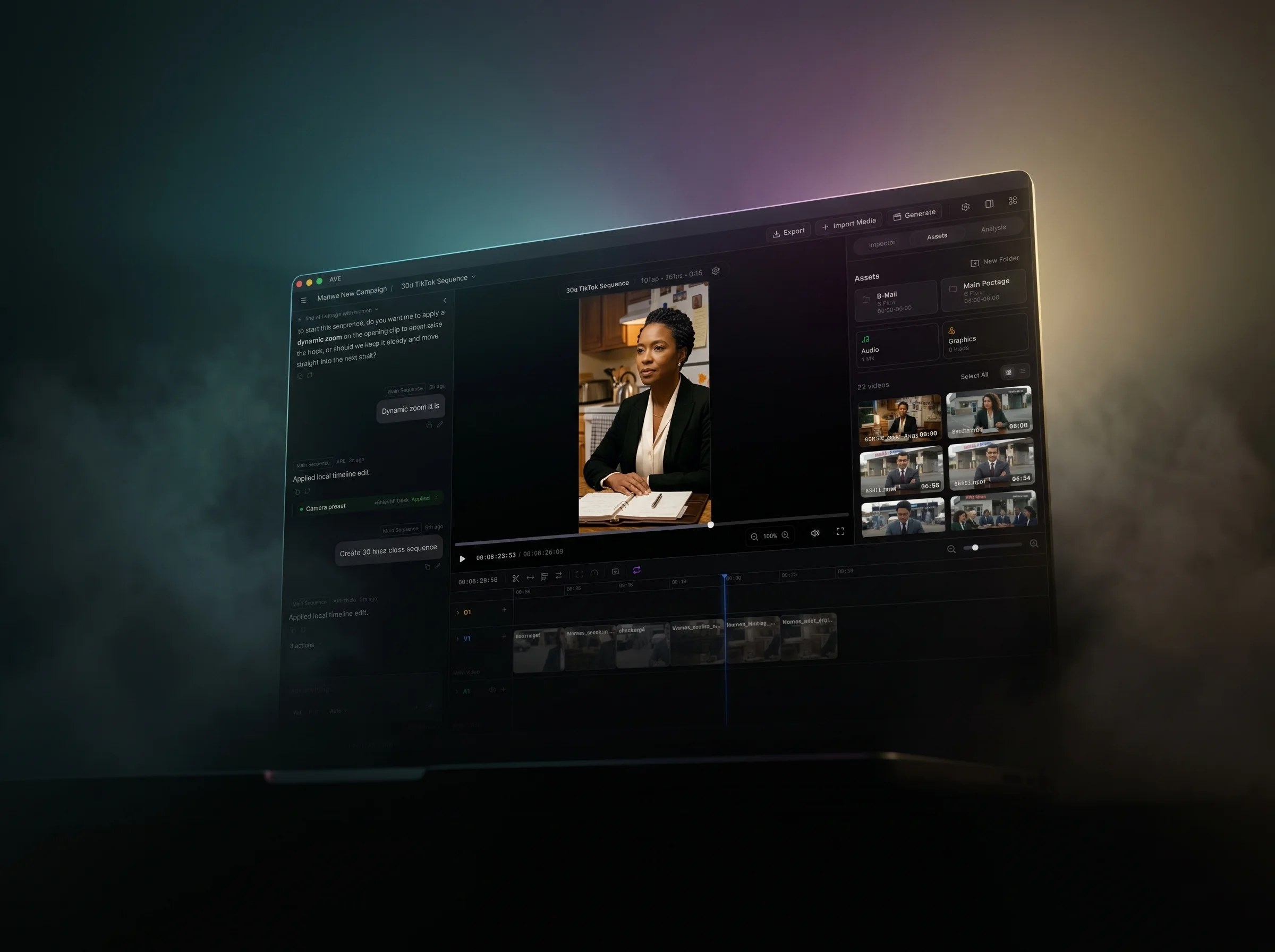
AVE is a video editor, but the product problem is operational.
A working edit is not one decision. It is hundreds of small decisions under constraint: which shot is usable, which line carries the story, which format this version needs, which caption belongs where, what changed, what stayed untouched, and whether the export still matches the preview.
AVE turns that mess into a system.
Why it exists
Traditional editors give you full control, but every mechanical pass is manual. AI video tools give you speed, but the result often arrives as a black box. AVE sits between those worlds: a real Mac timeline with an AI layer that can understand the project, propose work, and execute only through visible editing tools.
The bet is that AI belongs inside the workflow, not above it.
What it does
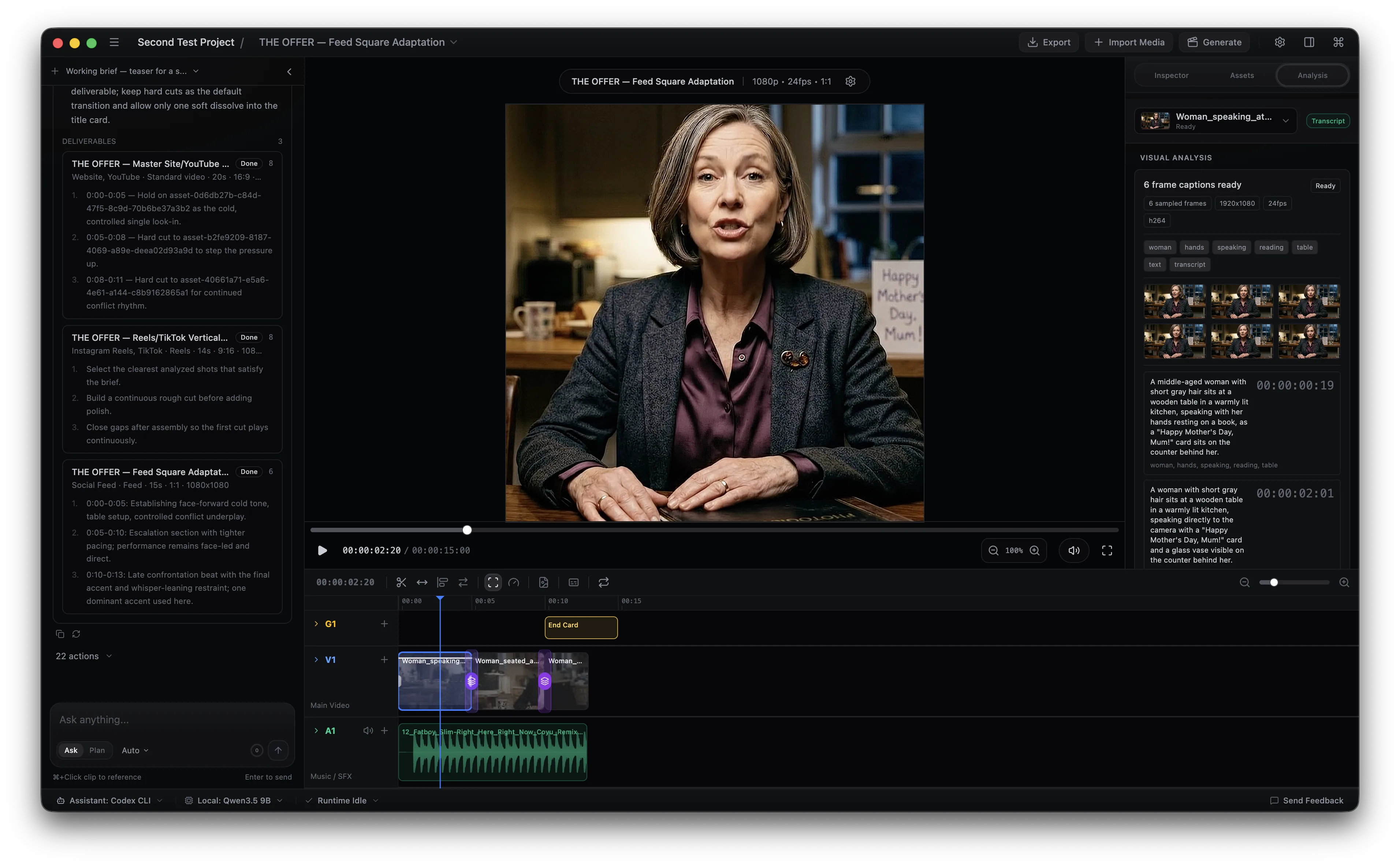
AVE reads the working material around an edit: source clips, transcripts, sampled frame captions, visual tags, sequence settings, audio state, graphics, color, and the current timeline. Ask mode is for direction, search, small commands, and clarification. Plan mode is for work that should be inspected before it changes the project.
Approved plans become native timeline actions: create sequences, find moments, trim clips, close gaps, add captions, style graphics, adjust audio, correct color, adapt formats, and export locally.
Nothing important happens off-stage. The edit stays visible.
The product decision
The central design decision was to separate reasoning from authority.
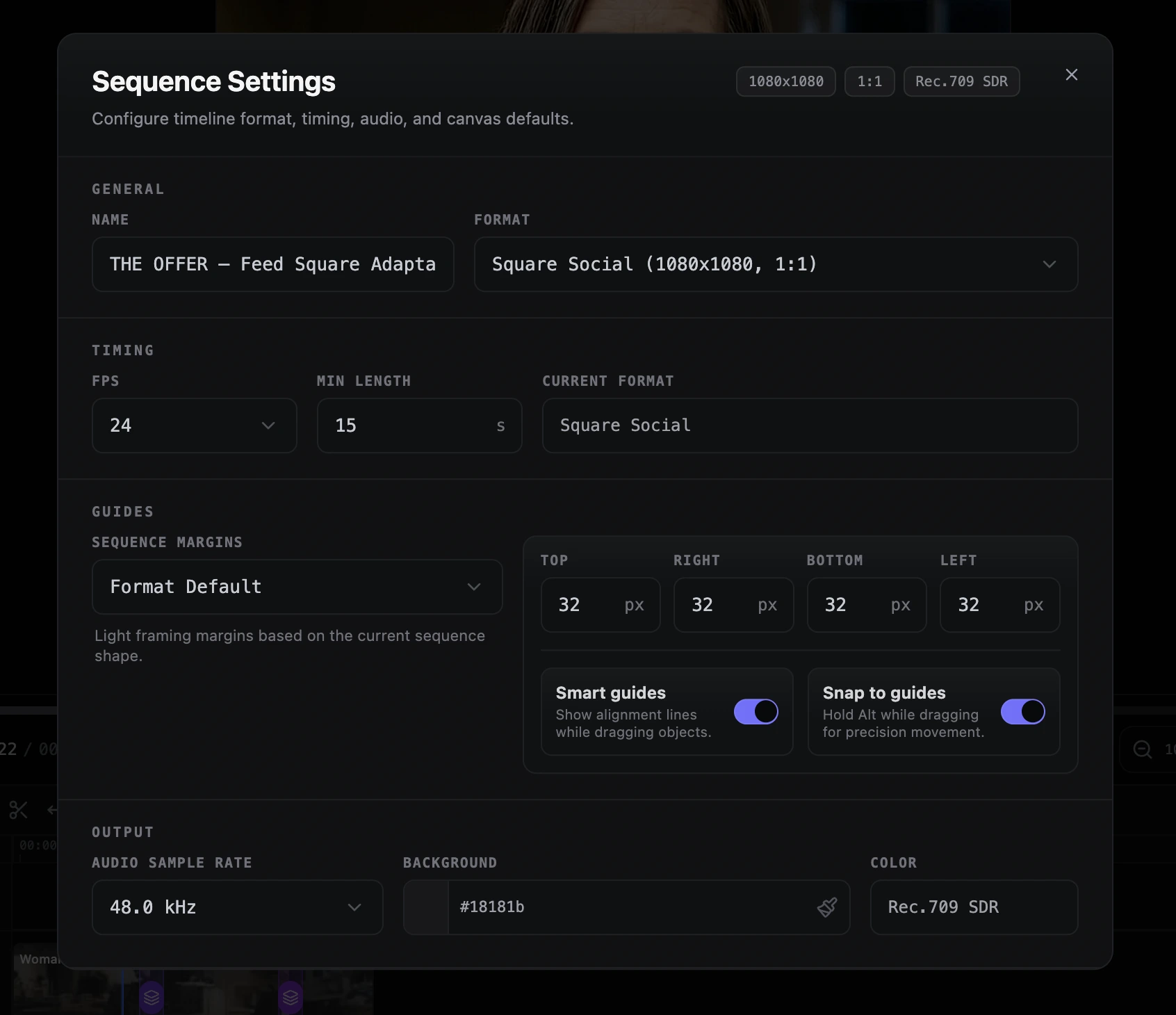
The assistant can read, evaluate, refine, and propose. It can turn a rough campaign brief into a structured plan. It can decide that a square social sequence needs different framing, captions, pacing, and graphic treatment.
But it does not get direct ownership of the project.
Timeline changes go through AVE tools. The user approves the plan. The editor shows the result. That is the trust boundary.
Where the complexity lives
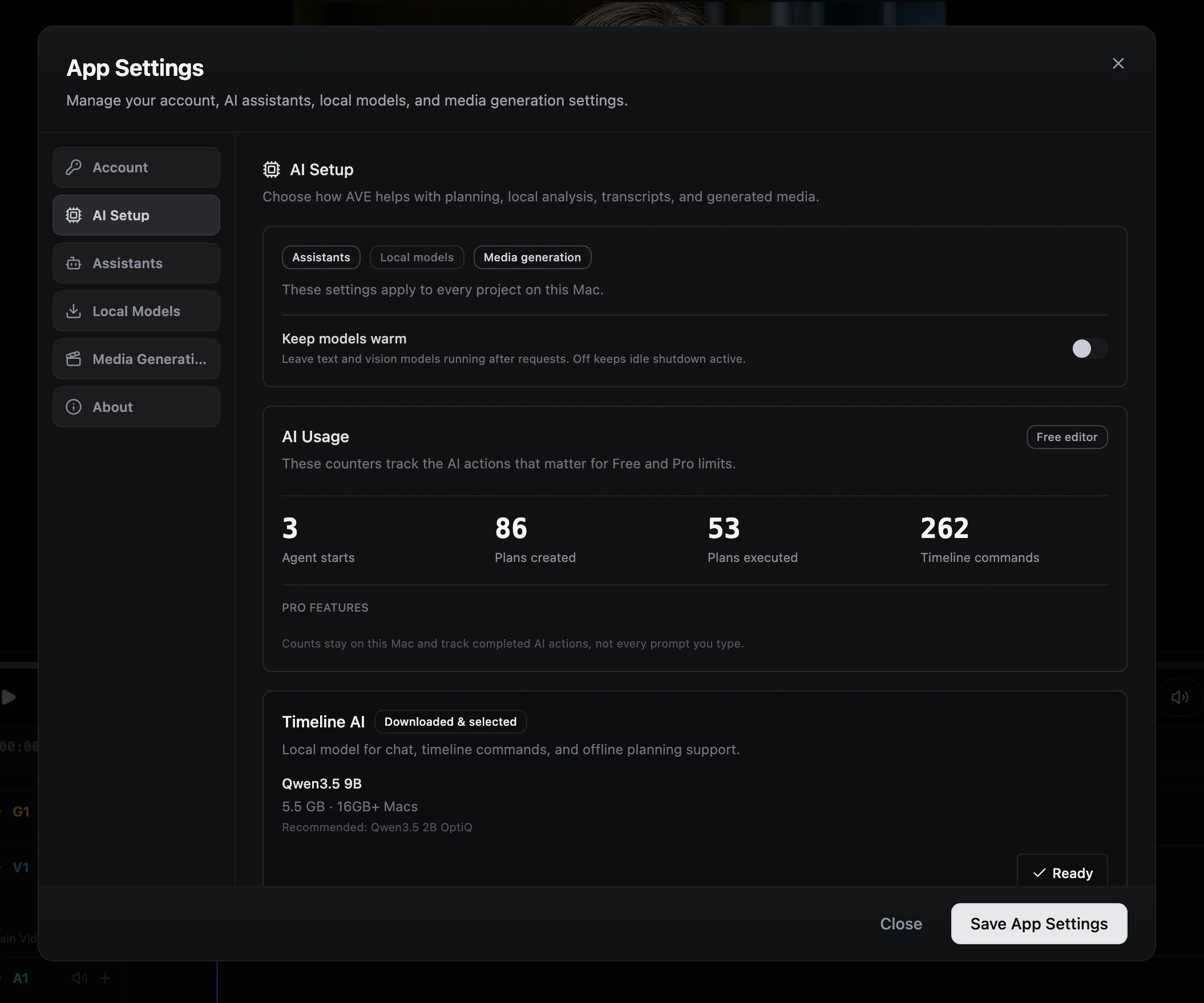
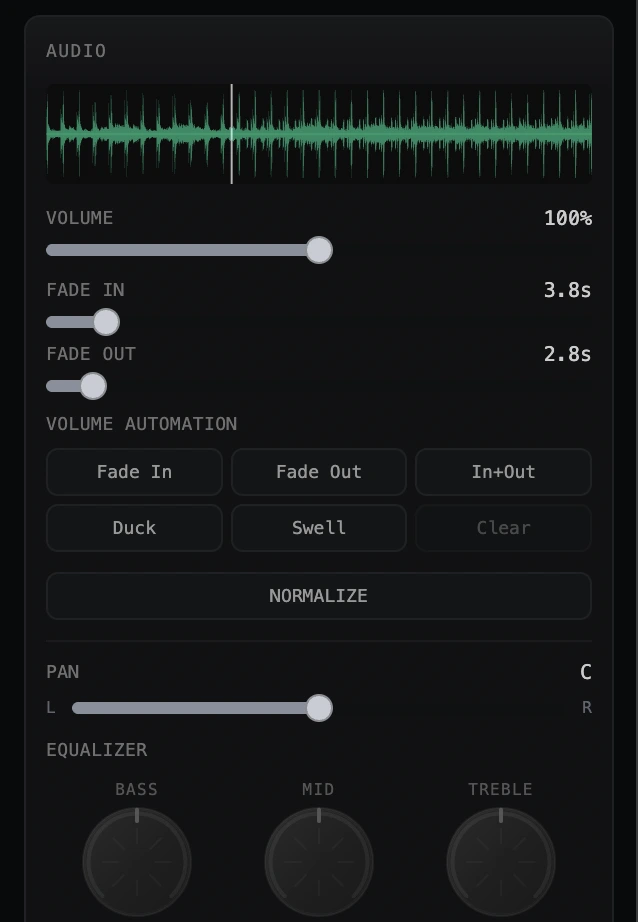
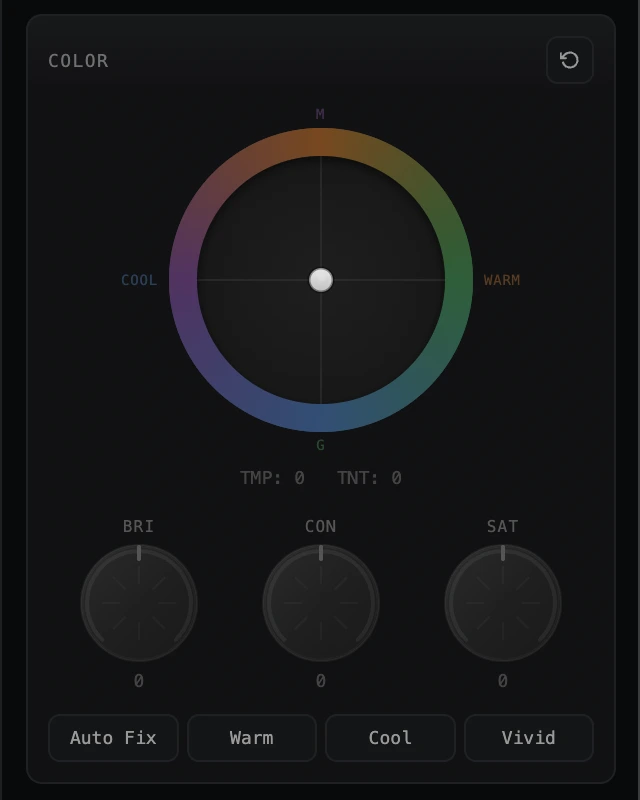
The visible editor still has to carry the product. If the AI can touch a setting, the user needs a normal way to inspect and correct it. That is why AVE has explicit surfaces for model setup, provider choice, sequence format, audio shaping, color correction, graphics, export, and usage limits.
The assistant is allowed to help. It is not allowed to make the interface disappear.
What I own
Product direction. Interaction design. The editor model. Ask and Plan modes. Footage-aware planning. Visual and transcript analysis. Native timeline tools. Graphics styling. Audio and color controls. Provider setup. Local-first project rules. Export path. Packaging. Commerce boundaries. Marketing site. Public distribution. Shipped end to end as a Tiny Things product.
Built with
Electron desktop app for macOS, with React, TypeScript, Vite, Tailwind, local project folders, timeline state, deterministic editing tools, local MLX sidecars, transcript and visual analysis, assistant/provider routing, render-worker export validation, signed Mac distribution, updater metadata, and licensing.
AVE supports local models, installed CLI assistants, and OpenAI-compatible API providers. The assistant can help reason through the edit, but supported timeline changes still route through AVE’s own tools.